Alerts & notifications
Get notified the moment an important event happens.
Alerts tell you the instant something you care about happens — a signup, a sale, a key goal — as an in-app notification and, optionally, an email.
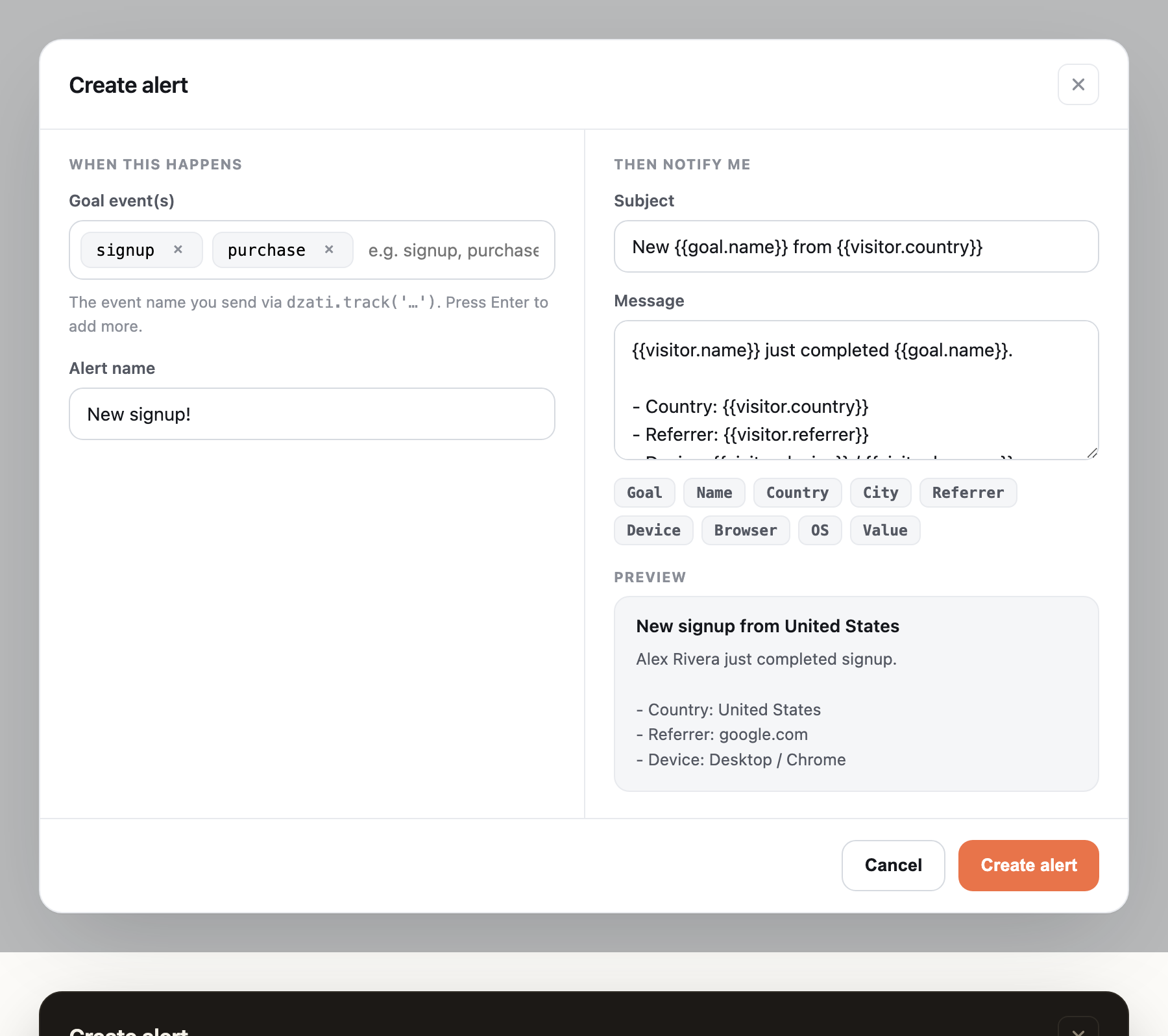
Build an alert
Under Site → Settings → Alerts, create a rule:
- When this happens — choose the event name(s) to watch (the same names you send via
dzati.track(), likesignuporpurchase). - Then notify me — write the subject and message. Use tokens like
{{visitor.name}},{{goal.name}},{{visitor.country}}and{{value}}and Dzati fills them in. A live preview shows exactly what you'll get.
In-app and email
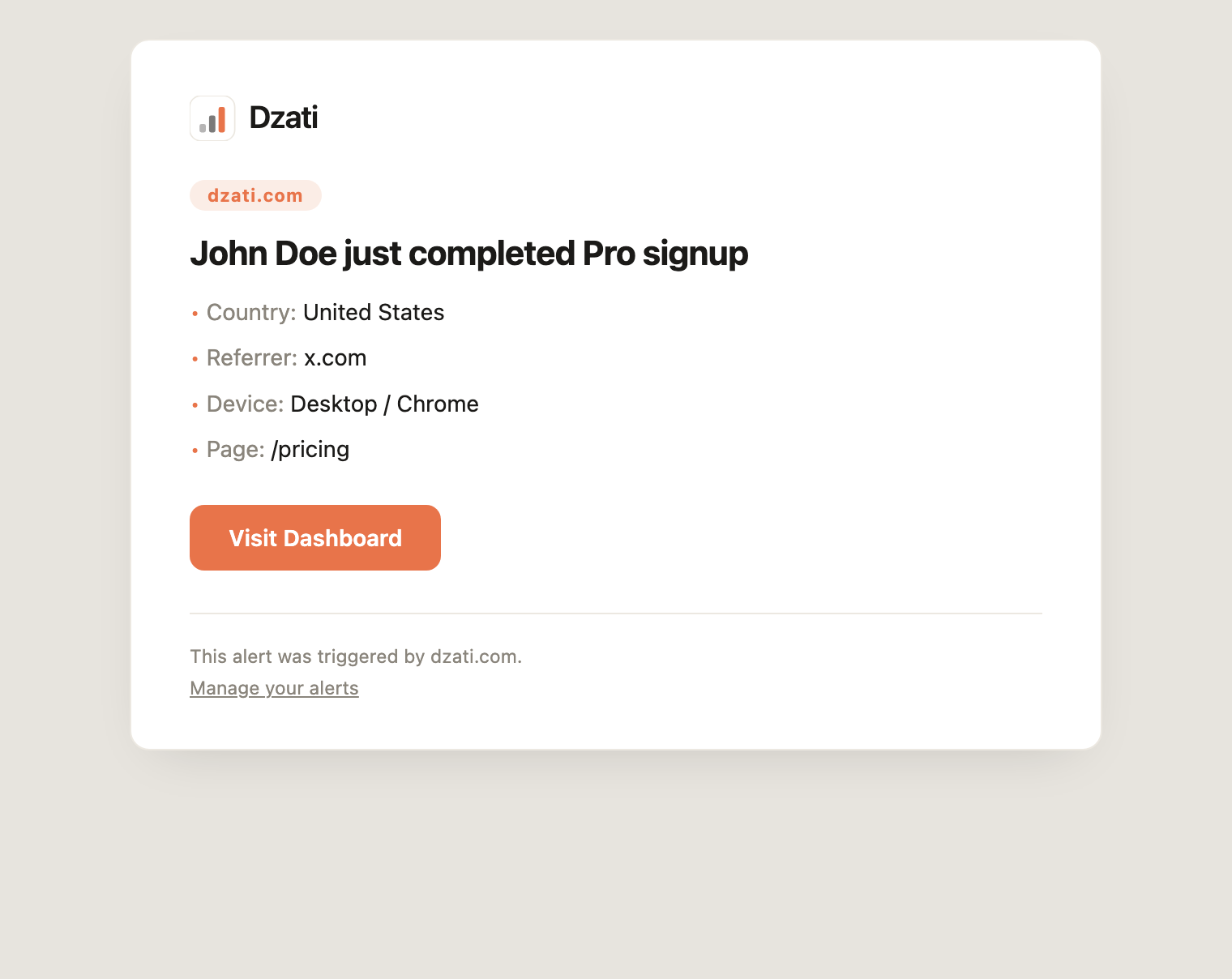
Every matching event creates an in-app notification (the bell in the header). Turn on the email channel to also get it by email:
Sensible limits
In-app notifications are unlimited. Emails are capped per month (the limit depends on your plan) so a busy day can't flood your inbox — once the cap is hit, alerts keep arriving in-app. You'll see your email usage right on the Alerts screen.
Note: Alerts only fire once per real event, even if a page is reloaded — so you won't get duplicate emails for the same sale.
Was this helpful?
Still stuck? Email support