Install the script
Add the Dzati snippet to your site — one tag, before </head>.
Installing Dzati takes one line. Add the snippet to every page you want to measure — the easiest way is to drop it into your site's shared <head>.
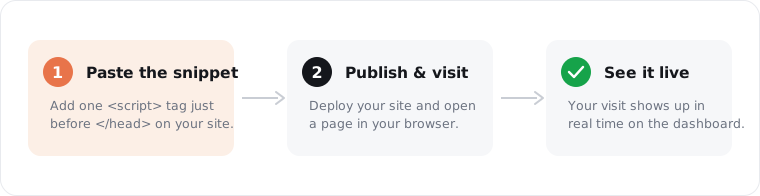
Add the snippet
Paste this just before the closing </head> tag:
html
<script data-site="DZ-XXXXXXXX" src="https://cdn.dzati.com/d.js"></script>
Note: Your ready-to-paste snippet — with your site's own token already filled in — is on the Install screen in your dashboard (Site → Settings → Install). Copy it from there so the
data-site token is correct.Where to put it
- Hand-coded site — paste it into your base template / layout so it loads on every page.
- Shopify — Online Store → Themes → Edit code →
theme.liquid, before</head>. - A framework (Next.js, Astro, etc.) — add it to your root document/layout
<head>.
The script is tiny, loads asynchronously, and never blocks your page. Once it's live, open Verify your setup to confirm data is flowing.
Was this helpful?
Still stuck? Email support