Sources, channels & campaigns
How Dzati groups referrers and reads your UTM tags.
Dzati records where every visit came from and organises it two ways: high-level channels and the specific source or campaign.
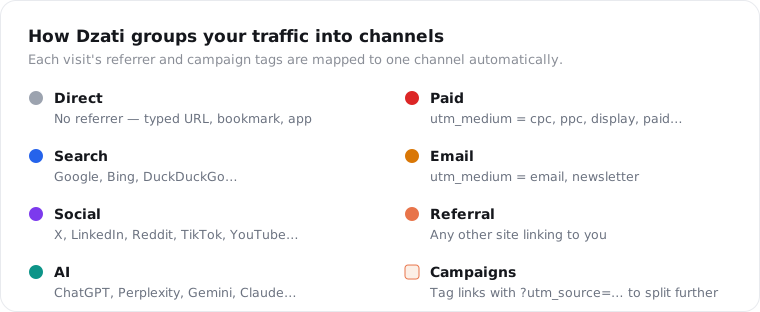
Channels
Each visit is automatically mapped to one channel — Direct, Search, Social, AI, Referral, Paid or Email — based on its referrer and campaign tags. The AI channel is its own group, so you can see traffic from ChatGPT, Perplexity, Gemini and friends separately.
Campaigns (UTM tags)
Tag your links and Dzati reads the standard parameters:
https://yoursite.com/?utm_source=newsletter&utm_medium=email&utm_campaign=june-launch
utm_mediumdecides the channel (e.g.cpc→ Paid,email→ Email).utm_source/utm_campaignlet you break results down further in the Campaigns panel.
Tie it to revenue
Because attribution is first-touch, the Sources and Campaigns panels can show the revenue each one generated — not just clicks — so you can see which campaigns actually pay off.
Note: No UTM tags? You still get clean channel and referrer reporting automatically; campaigns just add extra detail when you want it.
Was this helpful?
Still stuck? Email support